





Ansys Safety Analysis

Ensuring Safety and Reliability in Complex Designs

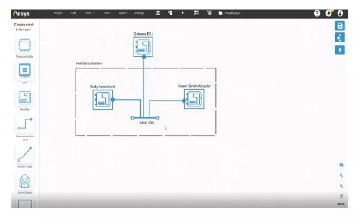
Safety Analysis simulation visualisation

Ensuring Safety and Reliability in Complex Designs

Ansys Safe Systems is a comprehensive suite of tools and solutions that supports the design, analysis, and verification of safety-critical systems across various industries. It enables engineers to model, simulate, and validate complex systems, ensuring they meet stringent safety and reliability requirements. Safe Systems integrates model-based safety analysis with systems engineering practices, allowing for a holistic approach to risk assessment and hazard mitigation.

Applications

Safety-Critical Systems Development

Identify, assess, and mitigate potential hazards early in the design process while ensuring compliance with functional safety standards across industries.

Embedded Systems Safety Assurance

Support the development of high-integrity embedded systems through model-based safety analysis, verification, and validation workflows.

Automotive Functional Safety

Perform safety analysis for ECUs, braking systems, steering controls, and other automotive electronics in compliance with ISO 26262.

Aerospace Safety Assessment

Evaluate risks and ensure compliance for avionics, flight control systems, eVTOL platforms, and mission-critical aerospace applications using standards such as ARP4754A and ARP4761.

Automotive Cybersecurity Compliance

Enable cybersecurity engineering processes and risk management activities aligned with ISO/SAE 21434 requirements.

Requirements Traceability & Safety Lifecycle Management

Maintain end-to-end traceability from requirements through validation, ensuring efficient safety governance and certification readiness.

FAQs

What is Ansys 3D Design?

Ansys 3D Design is a suite of tools — including SpaceClaim and Discovery — that lets engineers create, modify, and simulate 3D geometry directly within the Ansys simulation environment, eliminating the need to switch between separate CAD and analysis packages.

How do I download Ansys 3D Design tools?

Licensed users can download Ansys SpaceClaim and Discovery through the Ansys Customer Portal. Contact CADFEM APAC to obtain a licence or request a free trial for evaluation.

How to install Ansys SpaceClaim?

Download the installer from the Ansys Customer Portal, run the setup wizard, and enter your licence server details. Detailed system requirements and step-by-step guides are available in the Ansys Installation Guide included with the download.

How can I learn Ansys SpaceClaim?

Ansys offers free self-paced courses on Ansys Learning Hub, along with official documentation and video tutorials. CADFEM APAC also provides instructor-led training tailored to your industry and workflow.

How to export data from Ansys SpaceClaim?

Use File → Save As to export geometry in formats such as STEP, IGES, ACIS, Parasolid, STL, and more. SpaceClaim also supports direct export to downstream Ansys solvers via Workbench.

How to create a mesh in Ansys Discovery?

Ansys Discovery generates an automatic mesh in real time as you run simulations. For refined control, switch to Refine Mode where you can define mesh sizing, inflation layers, and element types before solving.

Let’s Build What’s Next Together

Whether you're solving complex engineering challenges, accelerating innovation, or exploring new possibilities with simulation and digital engineering, our team is ready to support you. Backed by deep technical expertise and industry experience, we work closely with organizations to transform ideas into reliable, high-performance solutions. Connect with us to discover how CADFEM can help drive your next breakthrough.

CONTACT US

Contact Us Today